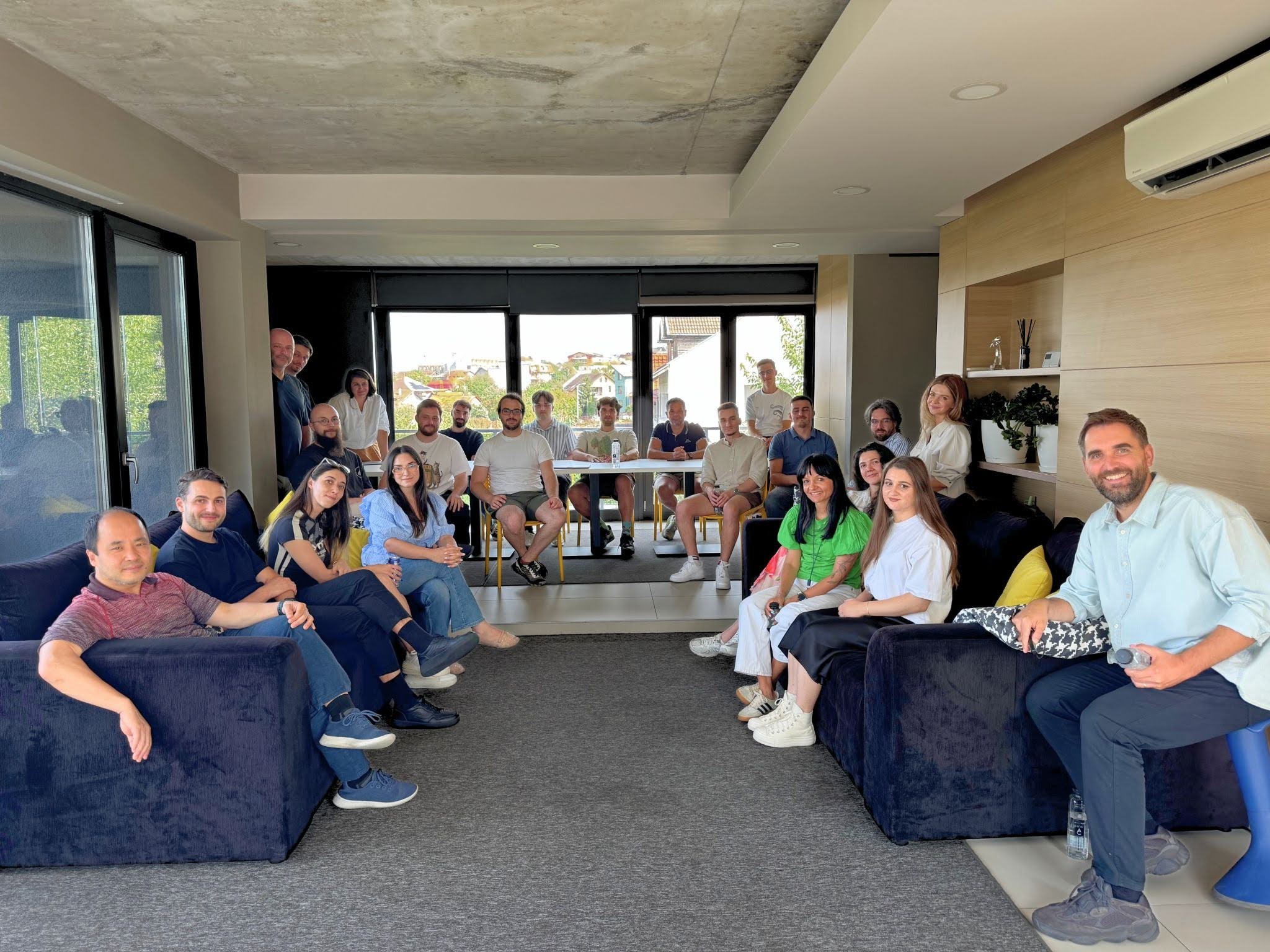


I’d been using Claude Code long enough to feel like I had something genuinely useful to share with the team, so I put together some notes and walked everyone through how it actually fits into my day-to-day work. This article is an extension of that conversation, with some broader research added to give it more context.
Software engineering is demanding and the margin for wasted time is slim. When Claude Code started getting serious attention among developers, I wanted to see for myself whether it was worth integrating into a real workflow, not just for demos or experiments, but for the kind of work we actually do.
The Productivity Case for Claude Code in Software Development
Before I get into what I’ve learned from using it, it’s worth looking at what the research actually says right now, because the picture heading into 2026 is more interesting than most headlines suggest.
Adoption is no longer a question. Stack Overflow’s 2025 Developer Survey, drawing on over 49,000 responses from 177 countries, found that 84% of developers are using or planning to use AI tools, up from 76% the year before, with 51% of professional developers now using them daily.
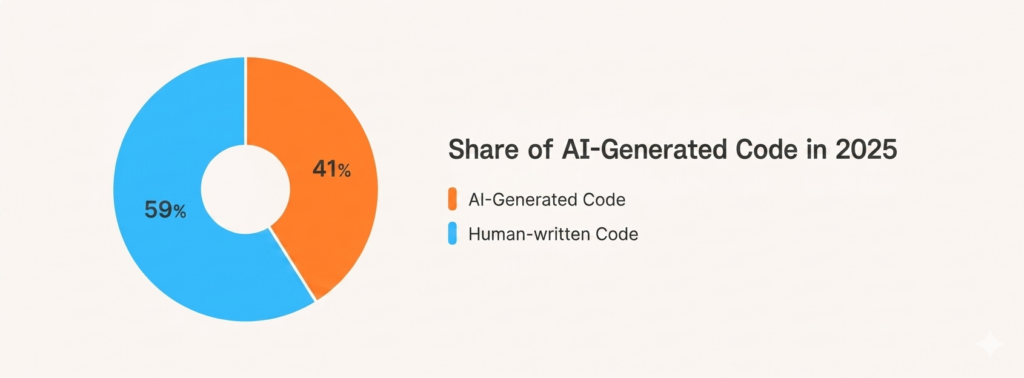
And the scale of AI-generated code is growing fast. Data from roughly 4.2 million developers tracked between November 2025 and February 2026 shows that AI-authored code now makes up 26.9% of all production code, up from 22% the previous quarter. Among daily AI users, nearly a third of all merged code is written by AI.
But adoption and impact are not the same thing, and the more honest research makes that gap clear. Faros AI’s 2025 productivity report, drawing on telemetry from over 10,000 developers across 1,255 teams, found that while developers using AI are writing more code and completing more tasks individually, most organisations are seeing no measurable improvement in overall delivery velocity or business outcomes.
Trust is also becoming a serious concern. Stack Overflow found that while usage climbed to 84%, trust in AI outputs fell sharply, with only 29% of developers saying they trust AI in 2025, down 11 percentage points from the year before. The most cited frustration, shared by 66% of developers, was dealing with AI solutions that are almost right but not quite, with 45% saying that debugging AI-generated code takes longer than writing it themselves.
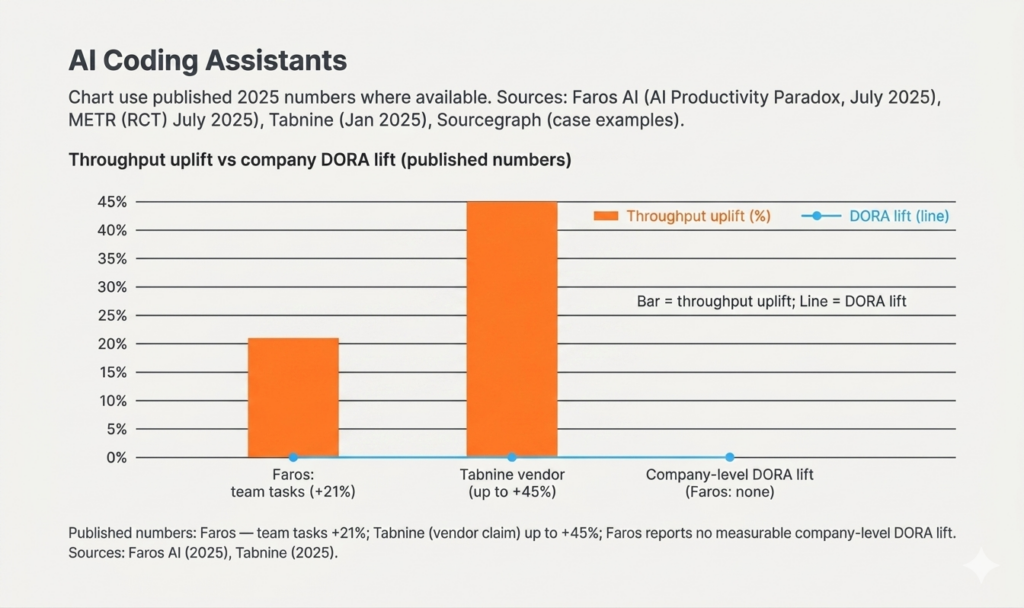
The follow-up from METR’s research team, published in February 2026, adds important nuance here. Their early 2025 study had found AI tools caused tasks to take 19% longer, but their updated findings point toward improvement, with study participants reporting they believe developers are more sped up from AI tools in early 2026 than the 2025 estimates suggested. Crucially, they also found that 30% to 50% of developers declined to submit tasks they did not want to complete without AI, implying the original study was systematically missing the tasks where AI provides the highest value.
From my own experience, none of this is contradictory. The developers getting real value from these tools are the ones who invest in using them properly, with the right workflow structure, well-defined skills, and a clear sense of where AI genuinely helps versus where it creates more work. The ones who don’t tend to just start prompting and wonder why the results are inconsistent.
What Is Claude Code?
Claude Code is Anthropic’s agentic coding tool, built to work directly in your terminal and development environment. What actually sets it apart is the way you work with it and the level of autonomy it operates with. You’re not asking it questions or waiting for suggestions. You hand it a task and it gets on with it, reading your project, making decisions, and moving through the work while you stay in control of the things that actually require your judgment.
Real-World Insight #1: Skills Are the Secret to Token Efficiency
The thing I’ve found most valuable working with Claude Code is what are called skills, reusable instruction sets you write once and save so the model understands how your specific project works without needing to be briefed every session.
The one I rely on most is a local debugger skill. When I trigger it, Claude Code automatically spins up the database, configures the environment, and validates the specific feature or bug fix I’m working on locally. No manual input from me. And because it already knows exactly what to do, it gets it right from the first attempt rather than burning through tokens on back-and-forth trial and error.
As I told the team during the session: “Because it already knows what to do, it does it correctly from the first time and uses much fewer tokens.”
This connects directly to something McKinsey flagged in their research. Off-the-shelf AI tools know a lot about coding in general, but they won’t know the specific needs of a given project and organisation, and that context is vital for ensuring the final product integrates properly with other systems, meets security and performance requirements, and actually solves the problem at hand. Skills are how you permanently close that gap, rather than explaining it from scratch every time you open a new session.
Real-World Insight #2: Context Management Is Everything
My colleague Raul Chiriguț made a point during the session that I think catches a lot of people off guard when they first start using Claude Code for software development. Every message you send doesn’t just contain what you typed. It contains everything above it in the conversation as well.
That’s how most AI development tools work under the hood. The practical consequence is that a long-running session with lots of tool calls, code outputs, and file references fills up the context window much faster than you’d expect. And when context runs out, output quality starts to drop noticeably.
Based on what I’ve seen in my own workflow, here’s what actually helps:
- Start new conversations more often. Smaller sessions with a clear, defined goal outperform long sprawling ones where you’re trying to cover too much ground at once.
- Be careful with large MCP responses. When a tool or MCP server returns a very large response, Claude Code saves it locally and searches it on disk rather than pulling it fully into context. That behaviour is fine, but you need to be aware of it and design your workflow around it rather than running into it by surprise.
- Let skills carry your persistent knowledge. That way your active conversation stays lean and you’re not depending on a long history to keep Claude Code oriented on your project.
Real-World Insight #3: Sub-Agents Are Already Changing How We Work
Toward the end of the session we got into something I find genuinely exciting. Claude Code supports sub-agents, specialised assistants you can spin up to handle specific parts of a task. Each sub-agent runs in its own isolated context window with its own instructions and tool access, does its work independently, and returns only a summary to the main session.
In practice this means you can have one sub-agent searching and retrieving files while another works on a separate concern entirely, all within a single Claude Code session. The parent agent acts as an orchestrator: it breaks the task into discrete subtasks, fans them out to sub-agents running in parallel, then collects and merges the results. The output is stronger than what a single linear session produces, and your main context stays clean because the sub-agents absorb all the verbose intermediate work.
I think this represents where serious AI-assisted software development is heading. The question stops being “how do I prompt this tool well?” and becomes “how do I structure the work around it?” Which tasks get handed off to sub-agents, how context stays clean, and where breaking work into parallel streams actually adds something. The architecture of how you use these tools is starting to matter just as much as the tools themselves.
What the Research Gets Right, and What It Misses
The productivity numbers from the research are real, but the more useful takeaway for me is this: the tools are only as good as the engineers using them.
The developers at techquarter getting the most out of Claude Code for software development are the ones who invested time upfront in building skills, keeping context clean, and thinking carefully about how they structure their sessions. That investment pays back quickly. Less time re-explaining context, fewer tokens wasted on exploratory back-and-forth, and more reliable results from the first prompt.
If your team is evaluating Claude Code or has already started using it, my advice is simple: don’t just start prompting. Build your skills first, keep your sessions focused, and think about where sub-agents working in parallel could handle the kind of complexity that a single conversation never will.
Frequently Asked Questions
How is Claude Code different from other AI coding assistants? The main difference is autonomy and the way you interact with it. Where most AI coding tools work as autocomplete or chat-based helpers, Claude Code operates at the agent level. You hand it a task and it reasons through what needs to happen, interacts with your file system, and works through the steps on its own, while you stay in control of the decisions that require real judgment.
What are Claude Code skills? Skills are reusable, pre-written instruction sets you create once and store so Claude Code can reference them in future sessions. They allow the model to understand your project’s specific conventions, environment setup, and workflows without needing re-explanation each time, which reduces token usage and improves output accuracy from the first prompt.
How do you manage context limits when using Claude Code for software development? The key practices are starting new conversations frequently rather than letting a single session grow too large, avoiding loading oversized files into context unnecessarily, and using skills to carry persistent project knowledge rather than relying on conversation history.
What are sub-agents in Claude Code? Sub-agents are additional agents you can spin up inside Claude Code itself. Rather than running separate external tools in parallel, they operate within Claude Code and can each handle a specific part of the task simultaneously, such as file retrieval, code generation, or validation, making it possible to tackle more complex work within a single structured workflow.
techquarter builds custom software for organisations in finance, solar, and mobility. With over a decade of experience delivering complex digital systems, we focus on solutions that reduce costs, enhance user experience, and drive genuine digital acceleration. Want to talk about how AI tooling fits into your development workflow? Get in touch.